CLOUDRIG BUILD

Accurate data and an app the field will actually use.

Most field software is garbage-in-garbage-out and makes execs hunt through dailies to figure out what's happening on a job. CloudRig Build turns a foreman's photos and voice notes into complete daily reports, checks every entry, and tells PMs and executives where to step in.
CloudRig Build
Night rail cut with sparks
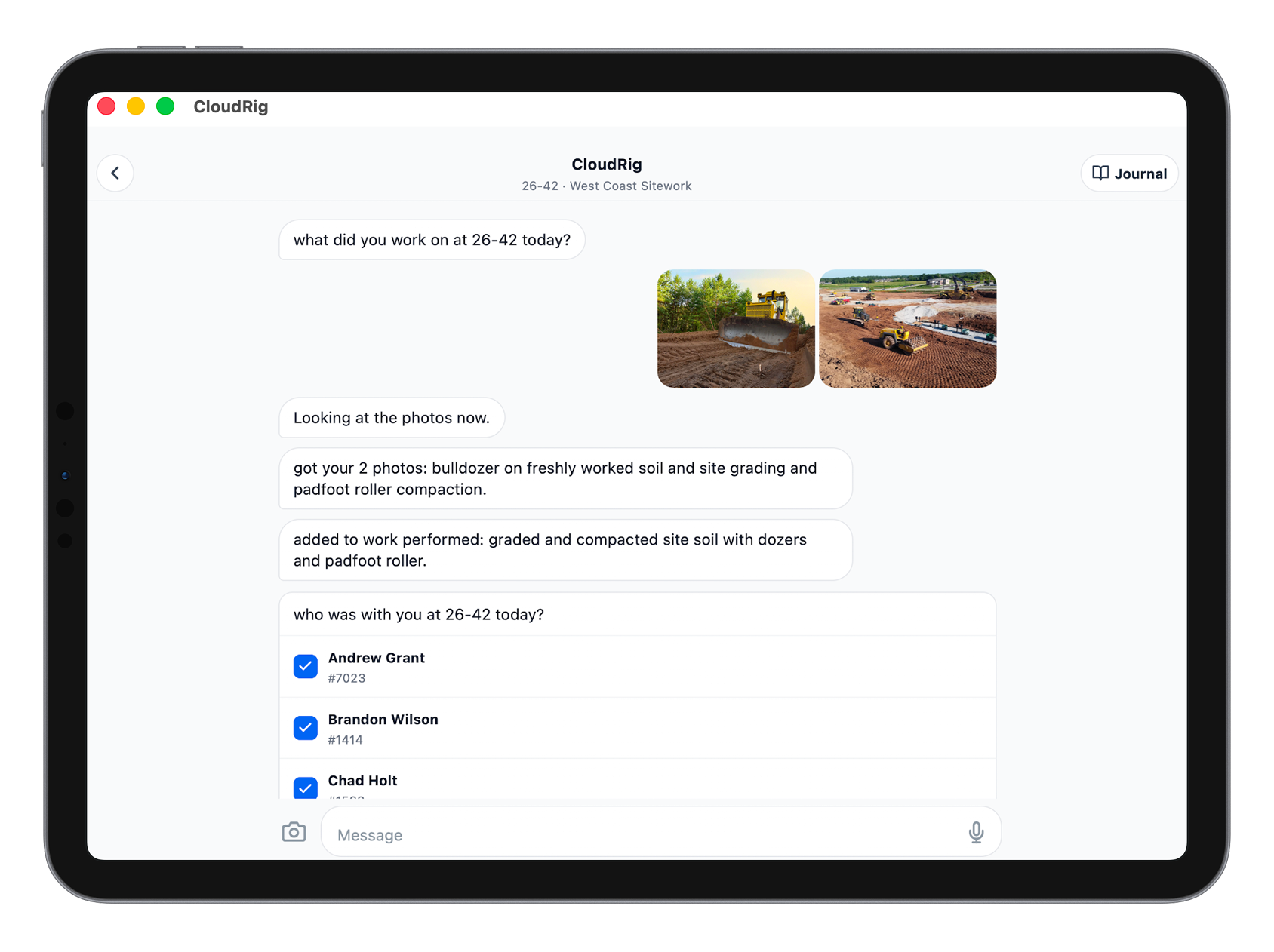
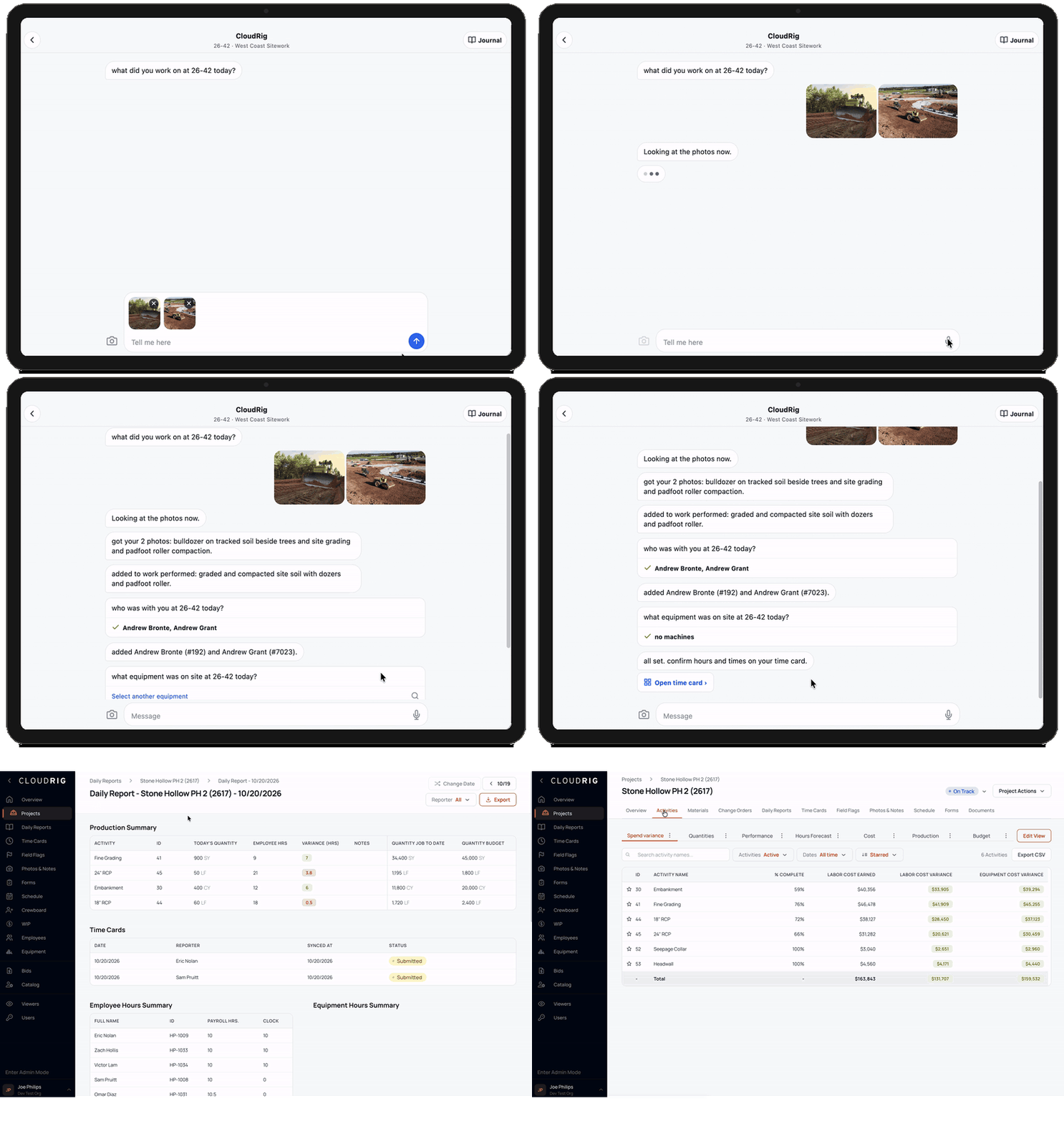
Get clean field data—CloudRig talks your foremen through their reports.
PRODUCT

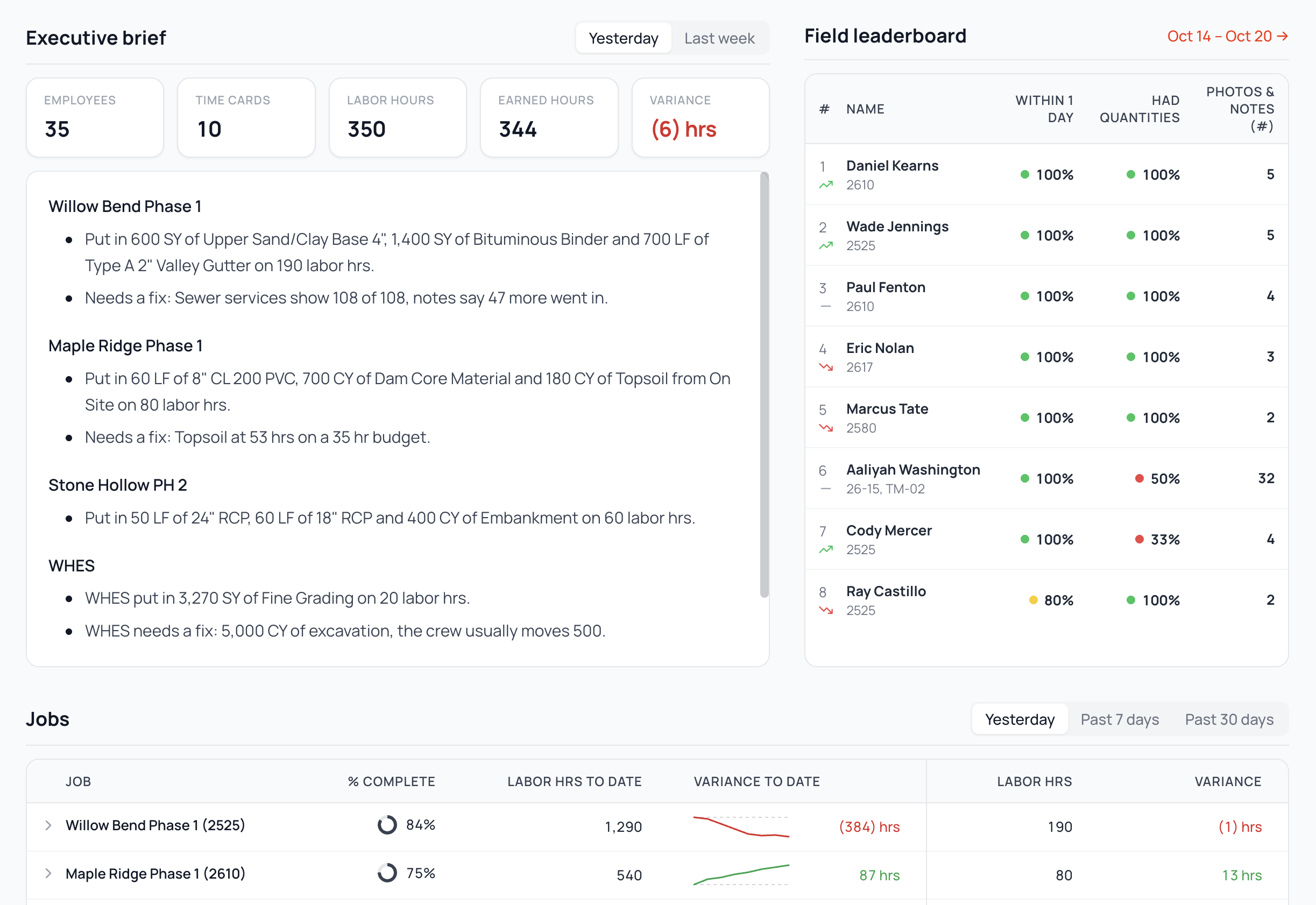
See performance, catch issues, and understand the field without digging.

CloudRig AI reads through every field entry, spots issues for reviewers (fat-fingered quantities, out-of-sequence codes, missing hours, etc.), and briefs executives on issues and highlights.

✓Spot problems in seconds and fix them in one click with AI alerts
✓Stay up to date without trawling through dailies using exec- and PM-level briefings
✓Drill from company or division health to a single day in two clicks

"The production summaries have been awesome. I'm in them every single day."
Steve Means, Maverick Constructors
Exec digest and division health
Foreman voice journal and time card

Get accurate field logs with a fraction of the time and effort.

CloudRig lets a foreman drop in a few photos, a voice note, or a text, builds out a daily, and talks through it with the field to ensure it's complete and correct.

✓Fill out your daily using photos, voice notes (English, Spanish, or Swahili), or clicks
✓See where you're winning and losing every day and across the job
✓Rip through task-specific checklists that ensure the office gets what it needs without any additional time from you

"I'm a dirt guy. What I do is play in the dirt. I don't want to be on my tablet all day, and CloudRig makes it easier."

John Barnes, Foreman, Middlesex Corporation

Stay on top of schedule and production risk.

CloudRig ties your master schedule from P6 or Microsoft Project to your field tasks, so you can nail milestones and resource requirements from one page.

✓See a milestone go red when low production puts it at risk, in the only app that ties the two together
✓Get PMs, superintendents, and foremen on the same page on schedules and requirements
✓Plan capacity and schedule equipment in seconds using AI agents that know your scheduling rules
✓Dispatch crews and send the plan and targets to the field from the same screen
Schedule and lookahead
Crew in a trench box, from above

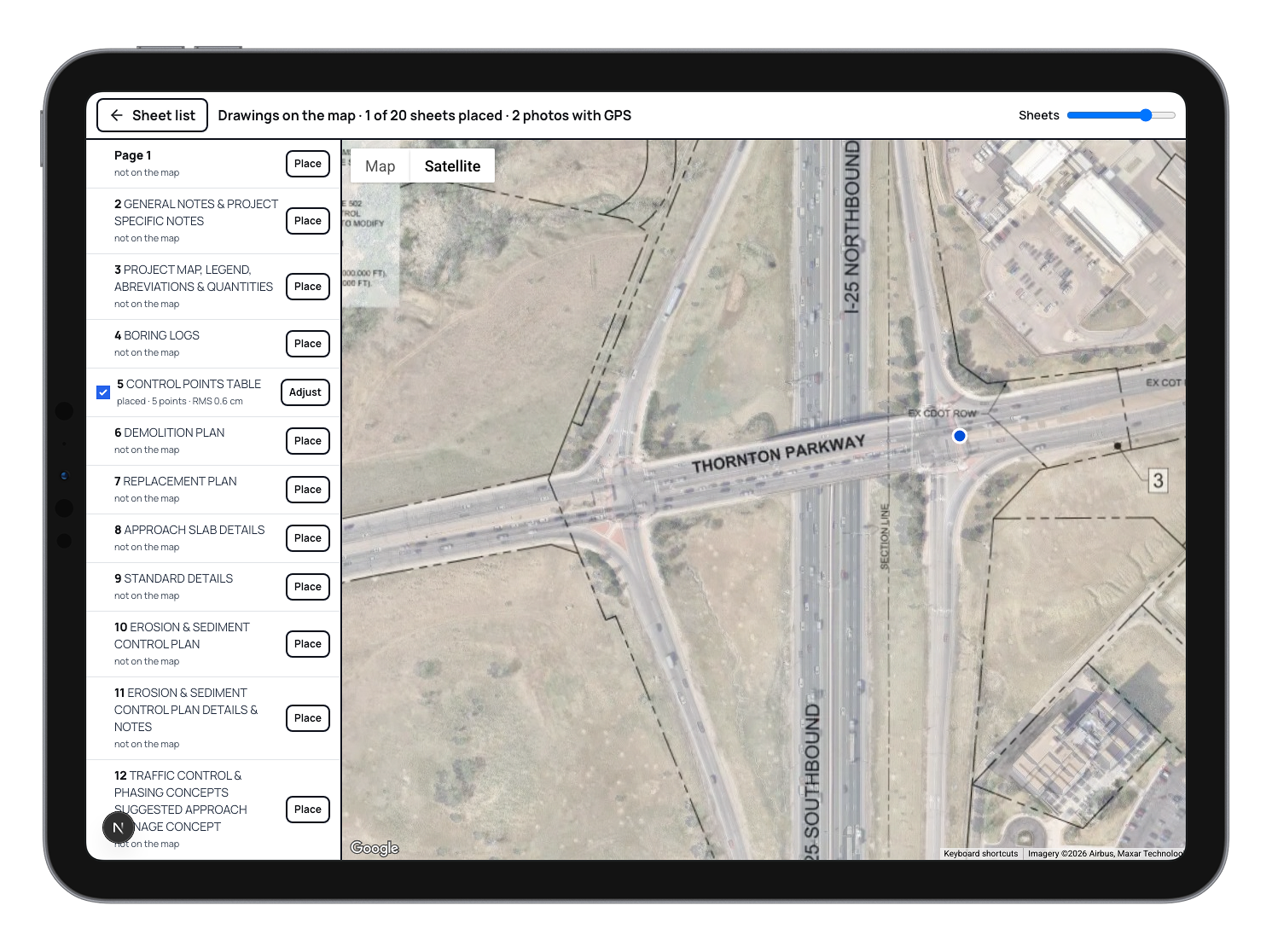
View, manage, and mark up plans across office and field.

Keep the latest revisions—and field markup—live across web and mobile, whether or not you have cell service.

✓Mark up a plan sheet from a phone or tablet
✓Work with or without signal and sync when you're back in range
✓Open the latest version every time, with your markup still on it
✓Maintain old markup across revisions

Nail payroll in minutes.

CloudRig lets you manage multi-state, union, prevailing wage, and public jobs on the same crew in the same week.

✓Run multi-state, union, certified, and prevailing-wage jobs through one flow
✓Set overtime rules once, by company or by job
✓Review time once, with the right controls for foremen, supers, PEs, and payroll
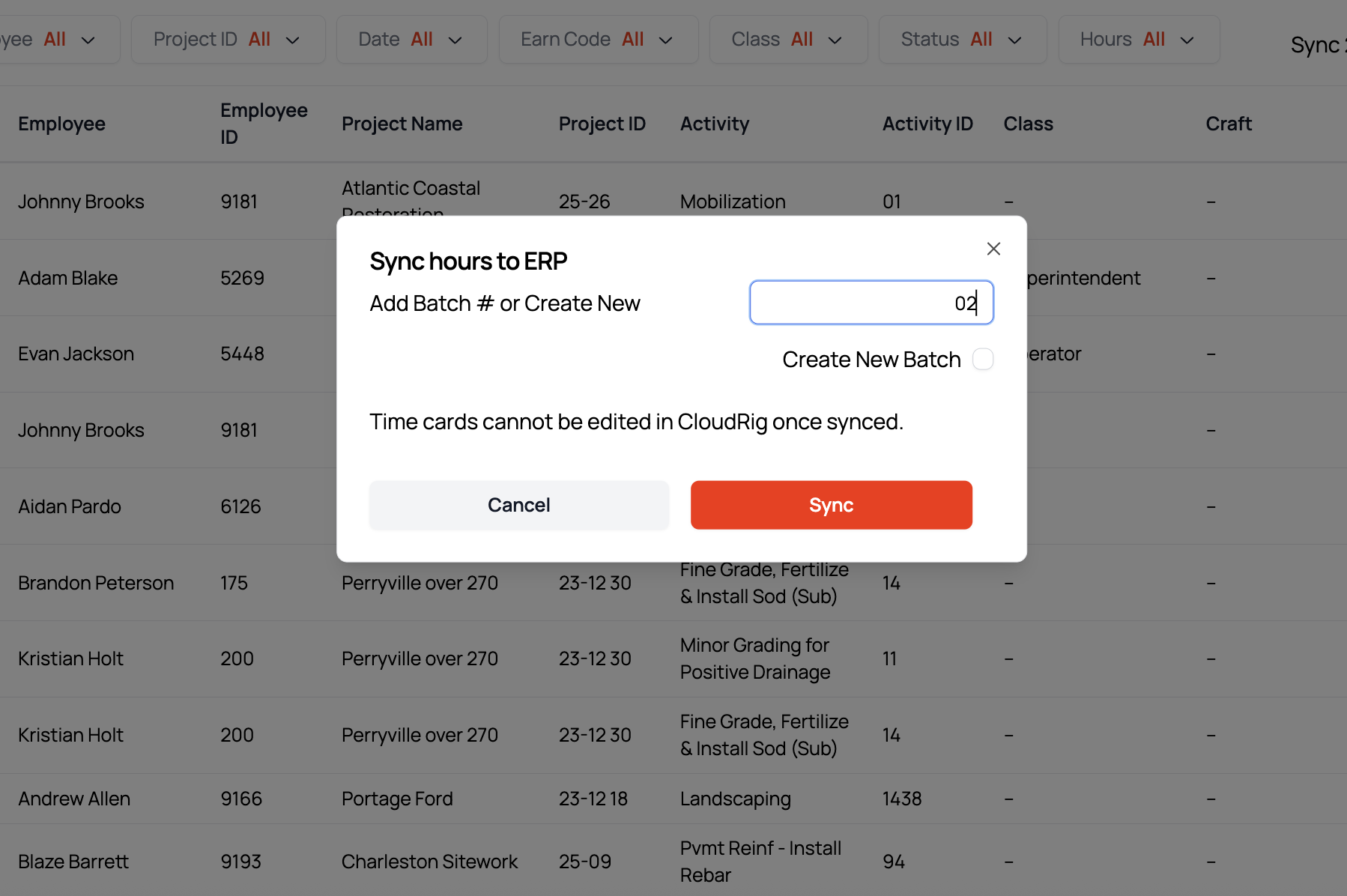
✓Push approved time to your ERP and pull jobs and codes back, without rekeying

"To be able to shorten it down from a half day to minutes is incredible."
Latoya Gamble, Payroll Operations, Stella May Contracting, on the Monday payroll sync
Payroll review

Two-way integration with your systems out of the box.

CloudRig syncs jobs, codes, budgets, cost, employees, equipment, man hours, equipment hours, and quantities. We complete a payroll dry run prior to training. CloudRig also integrates telematics and your master schedules.

ERP
Viewpoint Vista
Viewpoint Spectrum
Sage 300
Sage 50
Sage Intacct
Explorer Eclipse
Foundation
ComputerEase
Acumatica
QuickBooks Desktop
QuickBooks Online
Telematics
Tenna
Samsara
HCSS E360
Scheduling
Primavera P6
Microsoft Project

Plus other can't-miss features

In the field
30-second voice notes become time cards, quantities, lookahead updates, incidents, and observations
Dictate in any language, including Spanish, and get clean English back
AI asks clarifying questions on ambiguous entries
Photos parsed into phases and the daily log
Labor, equipment, and production entry; standard, OT, DT for labor; on, idle, down for equipment
Punch in and out, geofences, and selfies for attendance
Daily target vs. actual with running totals; scoreboards for field and office
Production and cost
Budgets vs. actuals for quantities, hours, and cost, in real time, by job, crew, and phase
Company-wide budgets vs. actuals: quantities, hours, cost, revenue, production, by job and period
AI checks on every entry, fixed in one click
AI exec digest and weekly cost-to-complete report
Quantity notes surface to the PM as change-order signals
Activity mapping to Vista phase codes
Telematics from Tenna and Samsara
Safety, plans, and docs
Safety and QC inside the journal flow
Custom PDF forms (JHAs, toolbox talks, checklists), fillable in the field, published back to the original PDF
Failed checklist items email the safety officer and create follow-up tasks
Plan markup from phone or tablet
Online and offline, with sync
Latest version on top, markup preserved across versions
Schedule and payroll
Schedule items with predecessor and successor links on a calendar
Milestones flag red when field quantities put them at risk
Push scheduled work to lookaheads and assign crews; daily plan feeds text dispatch
Capacity planning and equipment scheduling
Certified payroll: default classifications and per-job wage scales; OT rules by company or job
Two-way ERP integration, open API, and MCP access from Claude, ChatGPT, or Grok
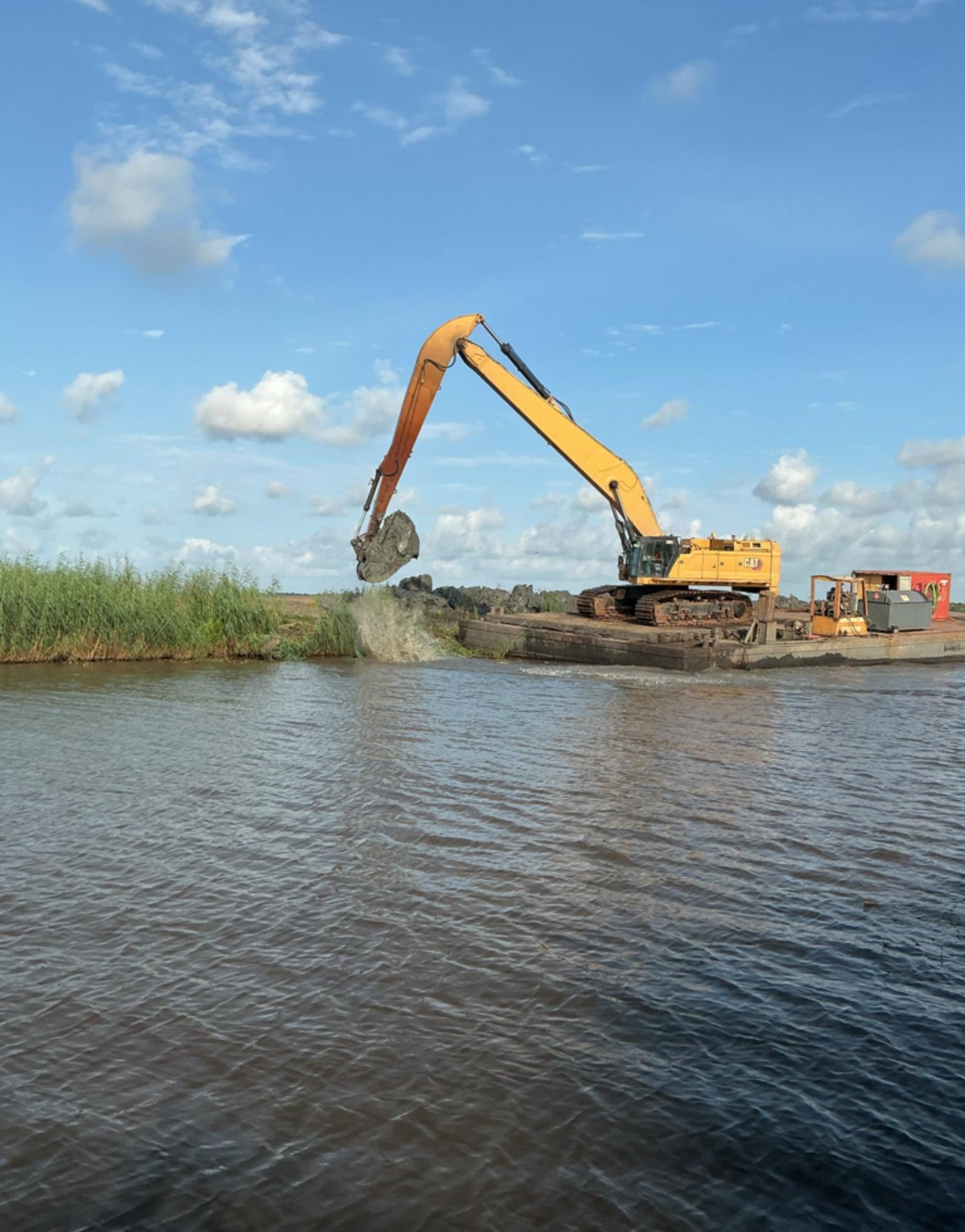
Dredge working on a waterway

See a day in the field, start to finish.

Bring a real job to the demo. We'll run a daily through it, show you the checks, and pull up the digest.